Fude 筆 — Pronounced foo-day

The Markdown Viewer
Polished and Synced

Designed for developers, product managers, and designers. Fude displays your .md files with style without distraction.

macOS Windows iOS Android

Coming soon

Fude

Reader

README.md

Project Brand Guidelines Local file Synced

Getting Started

Welcome to the Brand Guidelines project. This document outlines the visual identity, tone of voice, and design principles that define our brand across all platforms.

Consistency is key. Every touchpoint, from our website to our product UI, should feel cohesive and intentional. Below you will find the core elements that make up our visual language.

Color Palette

Our primary palette consists of deep neutrals paired with a warm accent. Use #b83b5e for highlights and interactive elements.

// Brand color tokens
const palette = {
  primary:    '#b83b5e',
  background: '#15171a',
  surface:    '#1d1f23',
  text:       '#f0f0f0',
}

Typography

We use Open Sans for display headings and IBM Plex Sans for body text. This pairing balances warmth with technical precision, keeping content readable at every size.

  • Headings: Open Sans, extrabold, tight tracking
  • Body: IBM Plex Sans, regular weight, 1.7 line-height
  • Code: JetBrains Mono, medium weight
"Good typography is invisible. Great typography is unforgettable."

Usage Guidelines

When using the brand assets, always maintain sufficient clear space around the logo. The minimum size for the logomark is 32px. Never stretch, rotate, or apply effects to the logo.

For dark backgrounds, use the inverted variant. On colored surfaces, ensure a contrast ratio of at least 4.5:1 against the background for all text elements.

Your Markdown Notes Deserve Better Than a Code Editor.

Fude offers you reading comfort for your meeting notes and Markdown documents:

Clear and readable text

From a simple paragraph to complex code blocks.

Always at your fingertips

The same note, synchronized, across all your screens.

Distraction-free

A tool designed for reading.

Functionalities

A focused reader with essential features.

Markdown rendering

A Polished Display

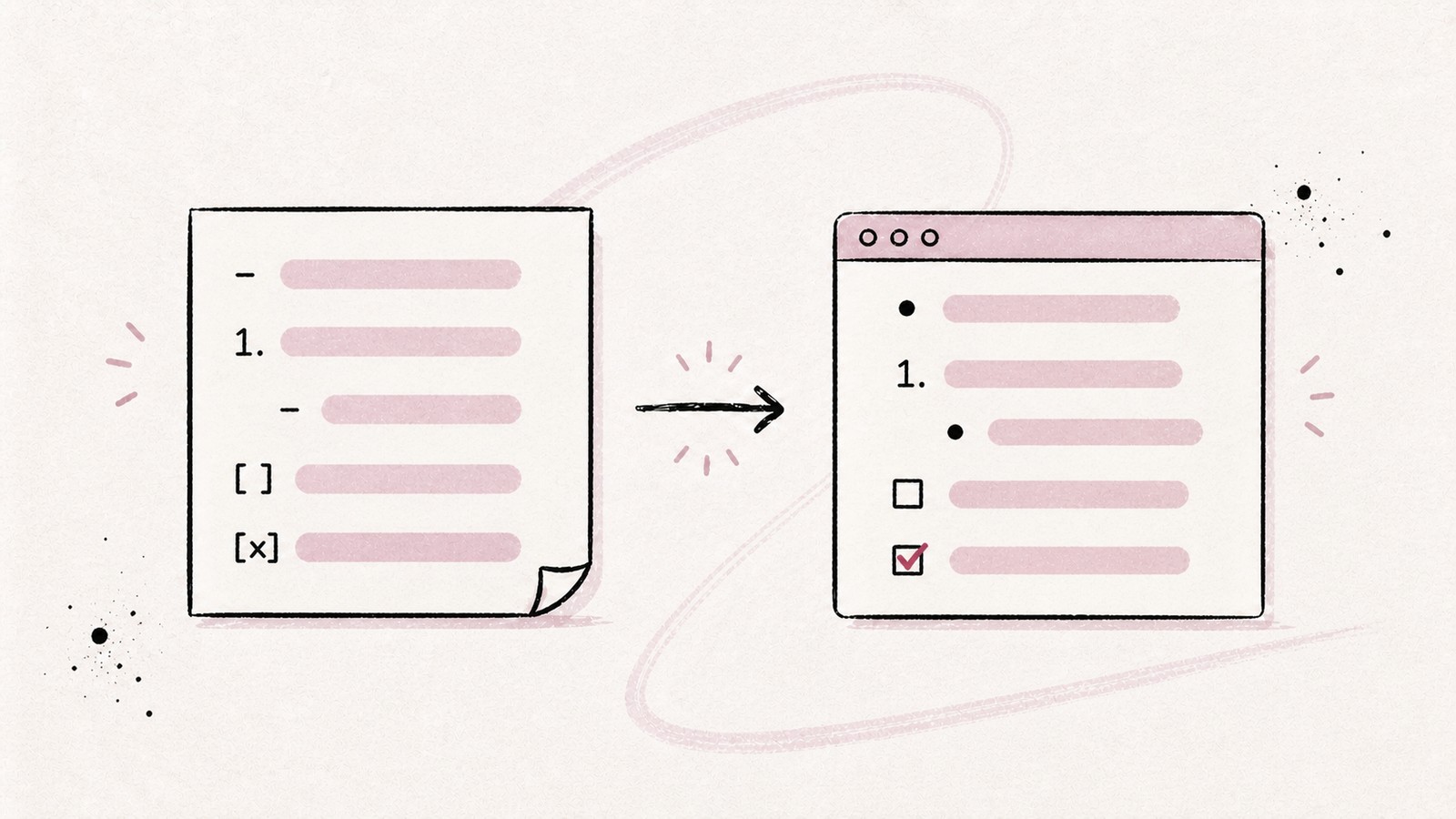
  • Markdown rendered faithfully.
  • Optimal readability, from paragraph to code block.
  • Natively integrated Mermaid diagrams.
README.md Preview #Beautiful rendering Your markdown, beautifully rendered with care. ```js constgreet = name => `Hello, ${"{name}"}!` ``` ```mermaid flowchart LR B --> C --> A --> B --> C ``` Beautiful rendering Your markdown, beautifully rendered with care. js constgreet = name => `Hello, ${"{name}"}!` DIAGRAM MD Fude View
Split view

Two Documents Side by Side

  • Compare two files at a glance.
  • Display a note and its reference simultaneously.
  • A split view for more efficiency.
Cloud sync

Multi-device Sync.

  • The speed of a local app.
  • Cloud synchronization to all your screens.
  • Available on Mac, Windows, iOS, and Android.
macOS iOS Android Windows
File management

Organized Projects

  • Group your documents into projects.
  • Navigate in one click, without digging.
  • Keep your files where they are on your device.
FinderfudeDocumentsWorkquarterly-report.mdmeeting-notes.mdteam-charter.mdbudget-2024.xlsxpresentation.keyPersonalideas.mdjournal.mdResearchreading-list.mdpapers.pdfPROJECTSWork3quarterly-report.mdmeeting-notes.mdteam-charter.mdResearch1reading-list.md
Remote sources

Connect GitHub and Google Drive

  • Open your files, wherever they are.
  • Access your documents from any device.
  • Combine projects from different sources.
F GitHub Google Drive Local
Custom themes

An Atmosphere for Each Project

  • Create themes for the interface.
  • Assign a specific theme to each project.
  • Easily switch from light to dark theme.
quarterly-report.mdWORKQ4 ReportMarkdownWorkBerry Darkjournal.mdPERSONALMy JournalMarkdownjournal.mdPERSONALMy JournalMarkdownPersonalSage Lightreading-list.mdRESEARCHReading ListMarkdownResearchAmber Warm
Security

Your Files Remain Your Files

  • Local-First or Cloud approach: the choice is yours.
  • You keep control of your data.
  • Compatible with all your Markdown files.
YAML metadata

Visible Metadata

  • No more unreadable raw YAML at the top of your notes.
  • Fude displays your data (tags, statuses, dates) in the header.
  • Ideal for understanding a note's context at a glance.

Simplicity & Security

Fude works offline. Your files stay on your drive, never on our servers unless you enable sync.

Works offline

Files stay on your drive

Fast loading

The reading comfort your notes deserve.

Keep your writing workflow. Leave the reading to Fude.

Coming soon

An independent project

Fude is imagined and developed by eMeRiKa, a solo builder. An app designed for my own needs and shared with pleasure.

You can follow this project and my other projects, or say hello:

Frequently asked questions

A Markdown reader is an application that renders .md files into beautifully formatted, readable documents. Unlike code editors, it focuses on the reading experience with proper typography, syntax highlighting, and diagram support.

Yes, in read-only mode, without touching your files.

With Fude, simply sync your files and open them directly on your iPhone. The app renders Markdown beautifully on any screen size.

Fude is free. Features will be added with a subscription, but nothing announced today will be paid.

Only if you choose to. Fude works perfectly locally. Cloud sync is an optional feature you can enable when you need your notes across multiple devices.